 Meziantou.Framework
Introduction
editMeziantou.Framework.Diagrams draws diagrams as SVG: you describe the nodes and the edges, and the library lays them out and draws them. Meziantou.Framework.Mermaid reads the text format of Mermaid into these diagrams, and writes them back as Mermaid text.
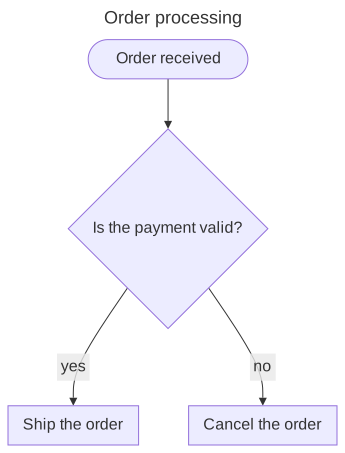
The diagrams follow Mermaid: the same shapes, the same kinds of edges, the same themes and the same layout algorithm (the layered layout of dagre), so a Mermaid diagram looks familiar. The output is not identical to Mermaid's: the library measures and draws its own texts, and does not run a browser.
What you can do with it
- Draw diagrams in C#: flowcharts with 53 shapes of nodes, swimlanes, class, state, entity relationship, requirement, use case, C4, block, architecture and sequence diagrams, Gantt charts, timelines, git graphs, kanban boards, packet diagrams, user journeys, event models, railroad diagrams, mind maps, tree views, Ishikawa diagrams, Venn diagrams, Wardley maps and Cynefin diagrams. See diagram types. The charts of Mermaid (pie, XY, quadrant, sankey and radar charts, treemaps) are drawn with Meziantou.Framework.Charts: see Mermaid charts.
- Read Mermaid text, with its front matter, its directives and its themes, and write diagrams as Mermaid, for instance to embed them in a Markdown page of GitHub. See Mermaid.
- Theme the diagrams with the themes of Mermaid, or your own colors. See themes.
- Render images: PNG, WebP, JPEG, or drawing on an existing image. See image rendering.
The output is deterministic: the same diagram gives the same SVG on every machine, so you can compare diagrams in snapshot tests. The texts are measured with the metrics of Helvetica that the library embeds, so no font has to be installed.
Namespaces
The diagrams are in the Meziantou.Framework.Diagrams namespace, and the Mermaid reader and writer in Meziantou.Framework.Mermaid.
Next steps
- Getting started: install the package and draw a first flowchart.
- Diagram types: the diagrams the library draws.