 Meziantou.Framework
SVG and PNG
editRender as SVG
ToSvg gives an SVG document as a string. Use it in a web page, or save it as a .svg file:
var qrCode = QRCode.Create("HELLO WORLD", ErrorCorrectionLevel.H);
var microQr = QRCode.CreateMicroQR("12345", ErrorCorrectionLevel.L);
var barcode = Barcode.CreateCode128("SKU-123456");

var svg = qrCode.ToSvg();
Assert.StartsWith("<svg xmlns=\"http://www.w3.org/2000/svg\" viewBox=\"0 0 330 330\">", svg);

var microSvg = microQr.ToSvg(new QRCodeSvgOptions { ModuleSize = 2, QuietZoneModules = 2 });
Assert.Contains("viewBox=\"0 0 30 30\"", microSvg);

var customSvg = qrCode.ToSvg(new QRCodeSvgOptions
{
    ModuleSize = 10,
    QuietZoneModules = 4,
    DarkColor = Color.FromRgb(0x00, 0x00, 0x00),
    LightColor = Color.FromRgb(0xff, 0xff, 0xff),
    LogoImageHref = "https://example.com/logo.svg", // Also supports data URIs
    LogoSizePercent = 20,
});
Assert.Contains("<image href=\"https://example.com/logo.svg\"", customSvg);

var barcodeSvg = barcode.ToSvg(new BarcodeSvgOptions
{
    ModuleWidth = 2,
    ModuleHeight = 80,
    QuietZoneModules = 10,
});
Assert.Contains("viewBox=\"0 0 286 80\"", barcodeSvg);- The document has a
viewBoxand no fixed size: it scales to the size of its container. The sizes of the options set the proportions and the units of the coordinates. - The dark modules are one path, drawn on a rectangle of the light color.
Render as PNG
ToPng gives the bytes of a PNG file, and WriteToPng writes them to a stream. The sizes are in pixels:
var qrCode = QRCode.Create("HELLO WORLD", ErrorCorrectionLevel.H);
var microQr = QRCode.CreateMicroQR("12345", ErrorCorrectionLevel.L);
var barcode = Barcode.CreateCode39("ABC-123", includeChecksum: true);

// The content of a PNG file, to save with File.WriteAllBytes("qrcode.png", png)
var png = qrCode.ToPng();
Assert.Equal([0x89, 0x50, 0x4E, 0x47, 0x0D, 0x0A, 0x1A, 0x0A], png[..8]); // the PNG signature

// Any writable stream, such as File.Create("micro-qrcode.png")
using var stream = new MemoryStream();
microQr.WriteToPng(stream, new QRCodePngOptions
{
    ModuleSize = 4,
    QuietZoneModules = 2,
    DarkColor = Color.FromRgb(0x1f, 0x29, 0x37),
    LightColor = Color.FromRgb(0xf9, 0xfa, 0xfb),
});

var barcodePng = barcode.ToPng(new BarcodePngOptions
{
    ModuleWidth = 2,
    ModuleHeight = 80,
    DarkColor = Color.FromRgb(0x0f, 0x76, 0x6e),
    LightColor = Color.FromRgb(0xec, 0xfe, 0xff),
});
WriteToPng writes as it renders: the PNG headers come first, then the image data in chunks of at most 8 KiB. It keeps a few rows of pixels in memory, whatever the size of the image, and the stream does not need to be seekable, so you can write to a network or HTTP response stream. If writing to the stream fails, the stream holds an incomplete PNG file. ToPng returns the whole file in an array.
The PNG renderer has no dependency: it does not need Meziantou.Framework.Imaging. To save in another format, or to draw the code on an image, see Images.
Options
| QR code (QRCodeSvgOptions, QRCodePngOptions) | Default | Description |
|---|---|---|
ModuleSize | 10 | The size of a module |
QuietZoneModules | 4 | The width of the margin around the code, in modules |
DarkColor | Color.Black | The color of the dark modules |
LightColor | Color.White | The color of the light modules and of the margin |
| LogoImageHref | null | SVG only: the image drawn in the middle of the code |
| LogoSizePercent | 20 | SVG only: the size of the logo, in percent of the smallest side, from 1 to 100 |
| Barcode (BarcodeSvgOptions, BarcodePngOptions) | Default | Description |
|---|---|---|
ModuleWidth | 2 | The width of a module |
ModuleHeight | 80 | The height of the bars |
QuietZoneModules | 10 | The width of the margins on the left and on the right, in modules |
DarkColor | Color.Black | The color of the bars |
LightColor | Color.White | The color of the spaces and of the margins |
Scanners need a quiet zone: reduce it only when the code is already surrounded by a light area.
Colors
Color is a color with an alpha channel. Create one from its components, or parse the forms of CSS:
Assert.Equal(Color.FromRgb(0x1e, 0x3a, 0x8a), Color.Parse("#1e3a8a"));
Assert.Equal(Color.FromRgb(0x11, 0x22, 0x33), Color.Parse("#123"));
Assert.Equal(Color.FromRgb(239, 246, 255), Color.Parse("rgb(239, 246, 255)"));

// The alpha comes first in the hexadecimal forms, and is a fraction in rgba()
Assert.Equal(Color.FromArgb(0x80, 0x00, 0x00, 0x00), Color.Parse("#80000000"));
Assert.Equal(Color.FromArgb(128, 0, 0, 0), Color.Parse("rgba(0, 0, 0, 0.5)"));

Assert.False(Color.TryParse("navy", out _)); // no color names
Assert.Equal("rgba(0,0,0,0.502)", Color.FromArgb(128, 0, 0, 0).ToCssString());
Parse accepts #RGB, #ARGB, #RRGGBB, #AARRGGBB, rgb(r,g,b) and rgba(r,g,b,a), and throws an ArgumentException for another form; TryParse returns false instead. Unlike CSS, the alpha of a hexadecimal color comes first. The components of rgb() and rgba() can have spaces around them, but none can be empty: rgb(1,,2,3) and rgb(1,2,3,) are rejected. ToCssString gives the form an SVG document uses.
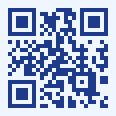
var qrCode = QRCode.Create("https://www.meziantou.net");
var png = qrCode.ToPng(new QRCodePngOptions
{
    ModuleSize = 4,
    QuietZoneModules = 2,
    DarkColor = Color.Parse("#1e3a8a"),
    LightColor = Color.Parse("rgb(239, 246, 255)"),
});
Keep a strong contrast, with dark modules on a light background: many scanners do not read light modules on a dark background.
Add a logo
LogoImageHref draws an image in the middle of an SVG QR code: a URL, or a data URI to keep the document self-contained. The logo hides the modules under it, which the scanner must recover with the error correction: create the code with ErrorCorrectionLevel.H, keep the logo small, and check that the result scans.
The PNG renderer does not draw logos. To draw a logo on a PNG or any other image, draw the code and the logo with Meziantou.Framework.Imaging: see Images.