 Meziantou.Framework
Getting started
editInstall the package
Add the Meziantou.Framework.Barcodes package to a project:
dotnet package add Meziantou.Framework.BarcodesThe examples of this documentation omit the using directives: they need using Meziantou.Framework.Barcodes;.
Generate a QR code
QRCode.Create encodes a text in the smallest QR code that holds it, and ToPng renders it as the bytes of a PNG file:
var qrCode = QRCode.Create("https://www.meziantou.net");

// The bytes of a PNG file, to save with File.WriteAllBytes("qrcode.png", png)
var png = qrCode.ToPng(new QRCodePngOptions { ModuleSize = 4 });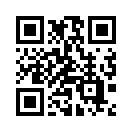
- ModuleSize is the size of a module, the small square of a QR code, in pixels. It is 10 by default.
- The image includes the quiet zone, the light margin a scanner needs around the code: 4 modules by default.
- ToPng is an extension method; WriteToPng writes to a stream, and ToSvg gives an SVG document. See SVG and PNG.
Generate a barcode
The Barcode.Create* methods create linear barcodes, one method per symbology:
var barcode = Barcode.CreateCode128("SKU-123456");

// The bytes of a PNG file, to save with File.WriteAllBytes("barcode.png", png)
var png = barcode.ToPng(new BarcodePngOptions { ModuleHeight = 60 });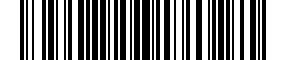
The PNG renderer draws the bars only. To print the text under them, use the image renderer of Meziantou.Framework.Imaging.Barcodes with a font: see Images.
Next steps
- QR codes: the kinds of QR codes, the error correction level and how the data is encoded.
- Linear barcodes: which symbology to use, check digits and add-ons.
- QR code content: Wi-Fi networks, contacts, payments and more.